FEATURE GUIDE 07
Health Tab
What it does
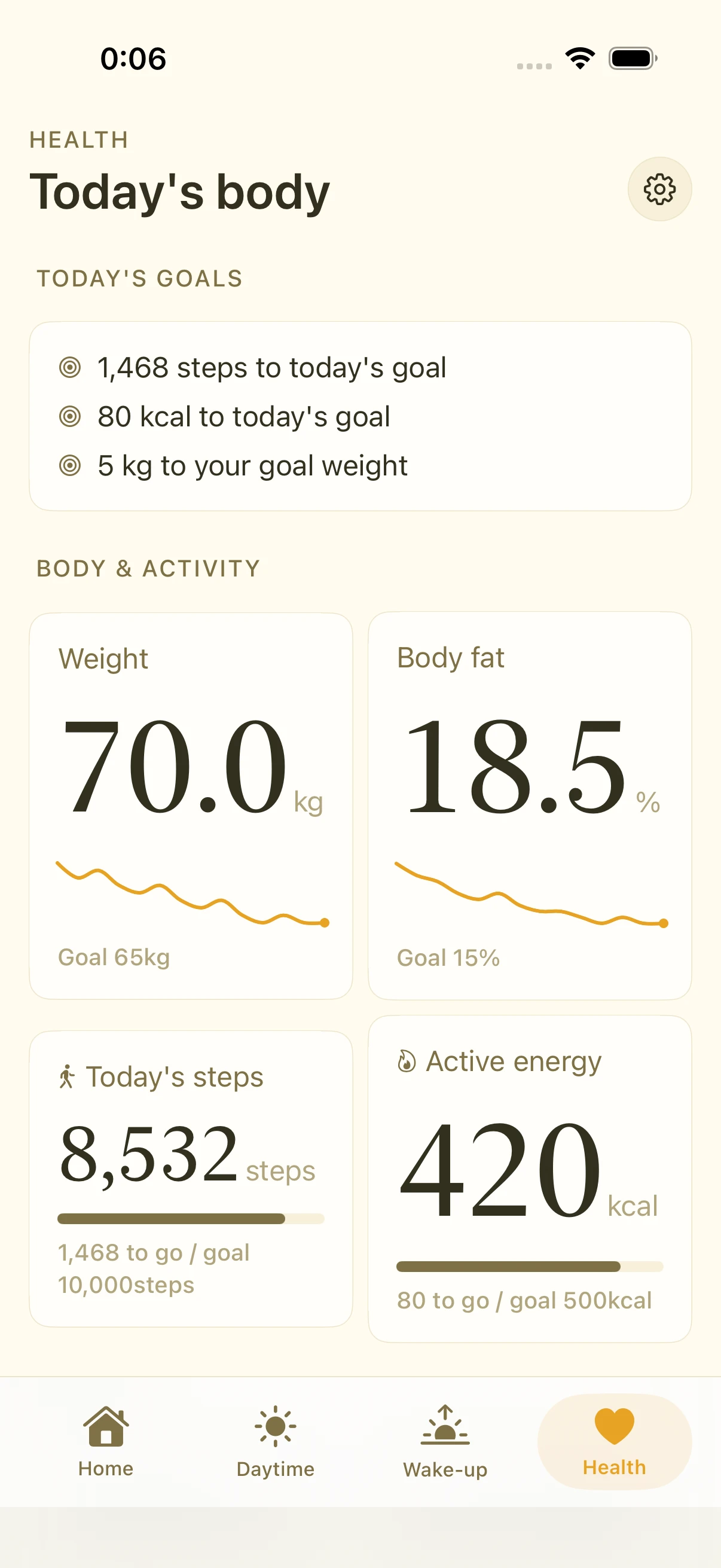
The Health tab turns the data already in Apple Health into a morning-friendly view: cards for steps, workouts, BMI, and sleep duration, a monthly activity calendar, and heart-rate zones.
Health integration is entirely optional. Alarms, readouts, and music all work without it.
Reading the cards
- Today's steps — with a progress ring toward your goal
- Workouts — recent workouts; when heart-rate data exists, each shows the average BPM and its heart-rate zone, color-coded
- BMI — computed from height and weight; a hint card appears if height isn't recorded
- Sleep — last night's duration
- Heart metrics — resting heart rate, walking average, and more (when available)
Heart-rate zones
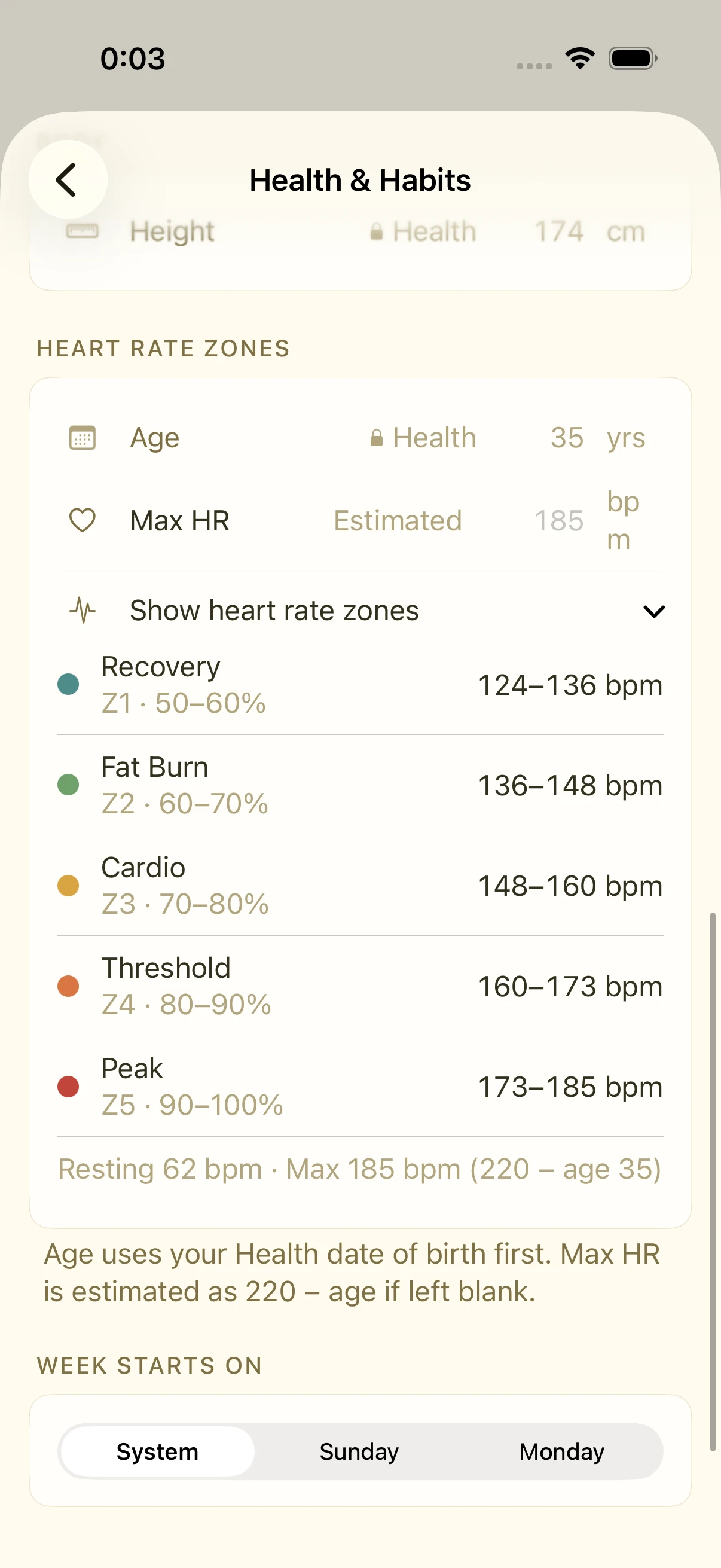
Settings › Health shows your personal zone table — five zones computed from your resting heart rate and maximum heart rate (measured if available, otherwise estimated from age). Workouts get labeled by zone, so easy-aerobic days and hard-push days are distinguishable at a glance.
Activity calendar
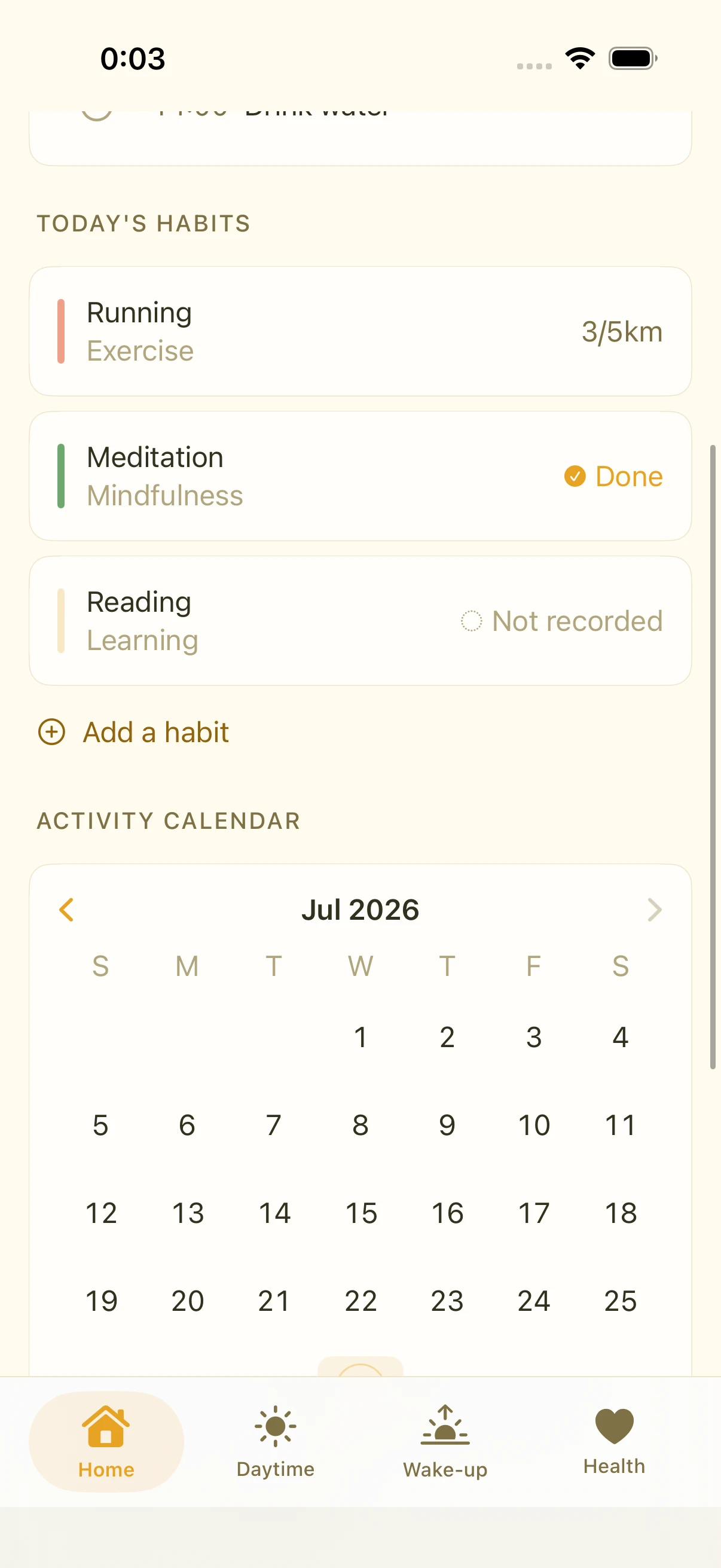
A monthly calendar colors in your active days. Together with habit records, it makes consistency visible.
FAQ
Is my health data sent anywhere?
No. Health data is read and displayed on-device only. Smastar has no server and sends nothing out.
My BMI isn't showing
Record your height once in the iOS Health app. Even a single record from years ago is enough — Smastar looks through your full history.
Can I see my Sleep Score?
Apple doesn't expose the Apple Watch "Sleep Score" to apps, so no. Sleep duration is shown instead.
Related settings
- Settings › Health: integration on/off, zone table, step goal
- iOS Health app: manage source data and access permissions