 Smastar
Smastar - Support Your Days
See your day through — without missing what matters.
Voice-Assisted Day Organizer
Download on the App StoreiPhone / iOS 26.4 or later
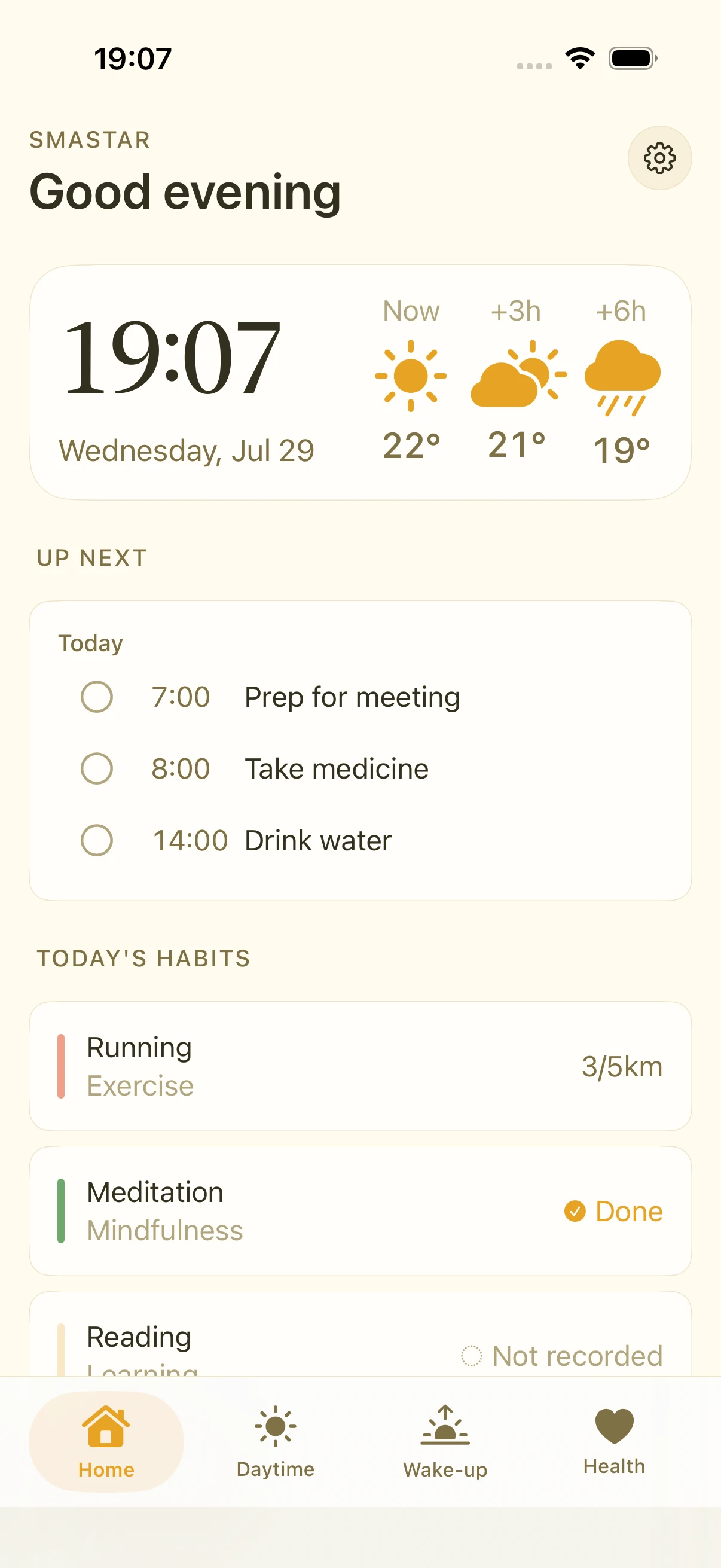
Never miss an important event across multiple calendars
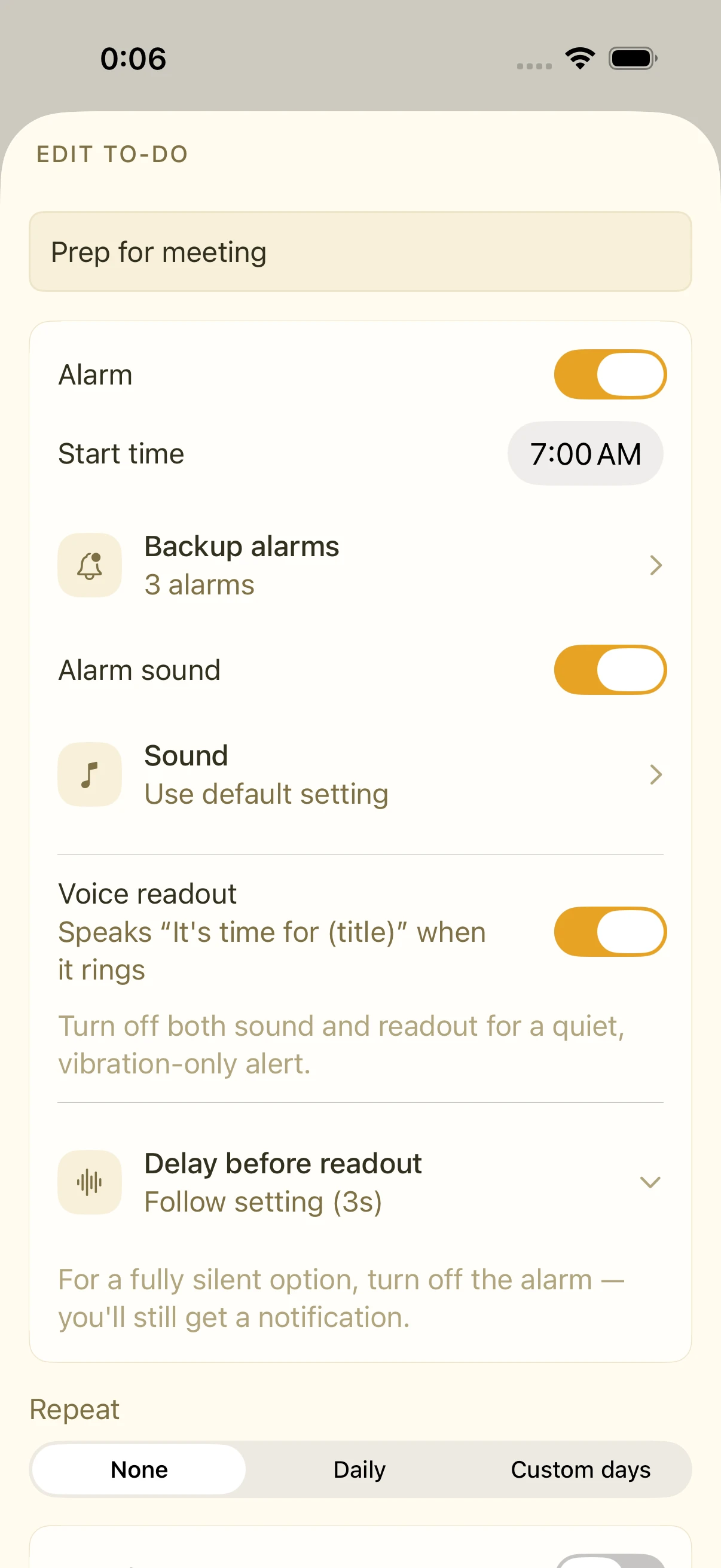
When work and personal calendars are split across Apple, Google, and Outlook, it's easy to miss a key meeting. Smastar automatically brings together every calendar on your device in one view. Set up to 3 pre-alarms for any event, so "it already started" never happens again — with a spoken reminder at the start time, too.
See how it works →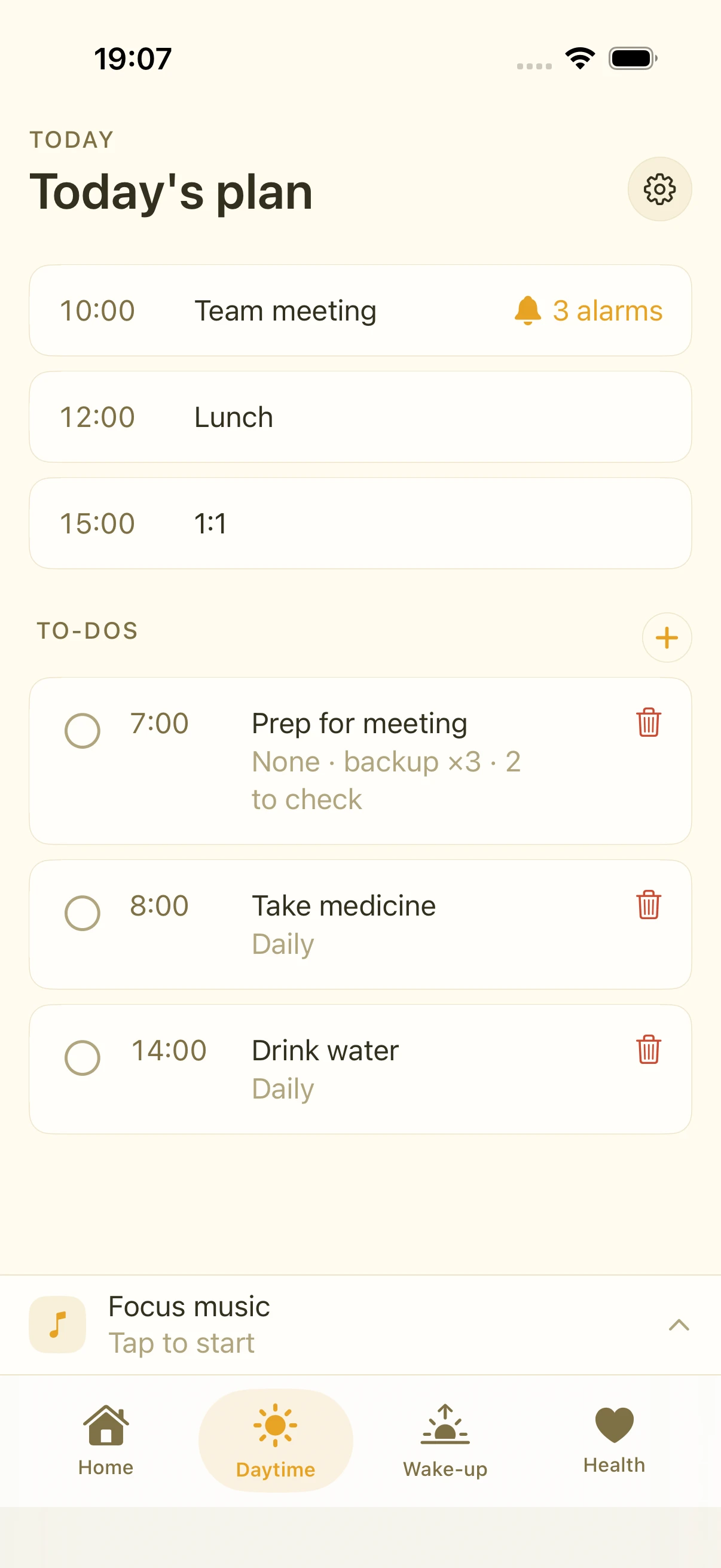
A checklist to stop forgotten items on the go
Ever dozed off on the train and scrambled at your stop, leaving something behind? Add a checklist to any to-do. Items like "umbrella," "documents," or "keys" appear right with your alarm — catching those slips at the moment you act, before you leave or step off.
See how it works →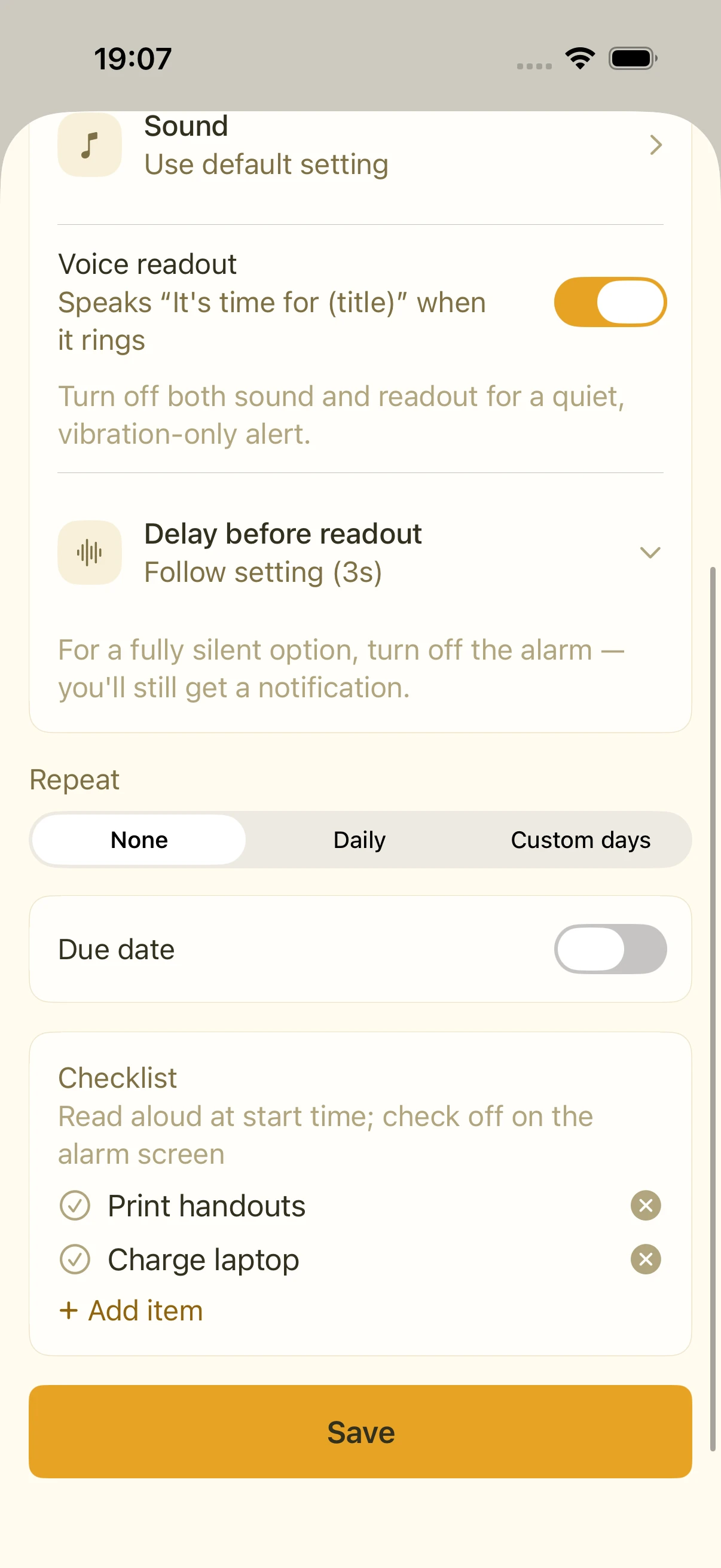
Stay on top of what needs doing
- To-Dos: Start times, repeats, up to 3 pre-alarms, checklists, and completion tracking. Even with the alarm off, you're notified at the start time.
- Habits: Track your daily streaks, reflected in the next morning's briefing.
Wake up clear-headed, to your voice
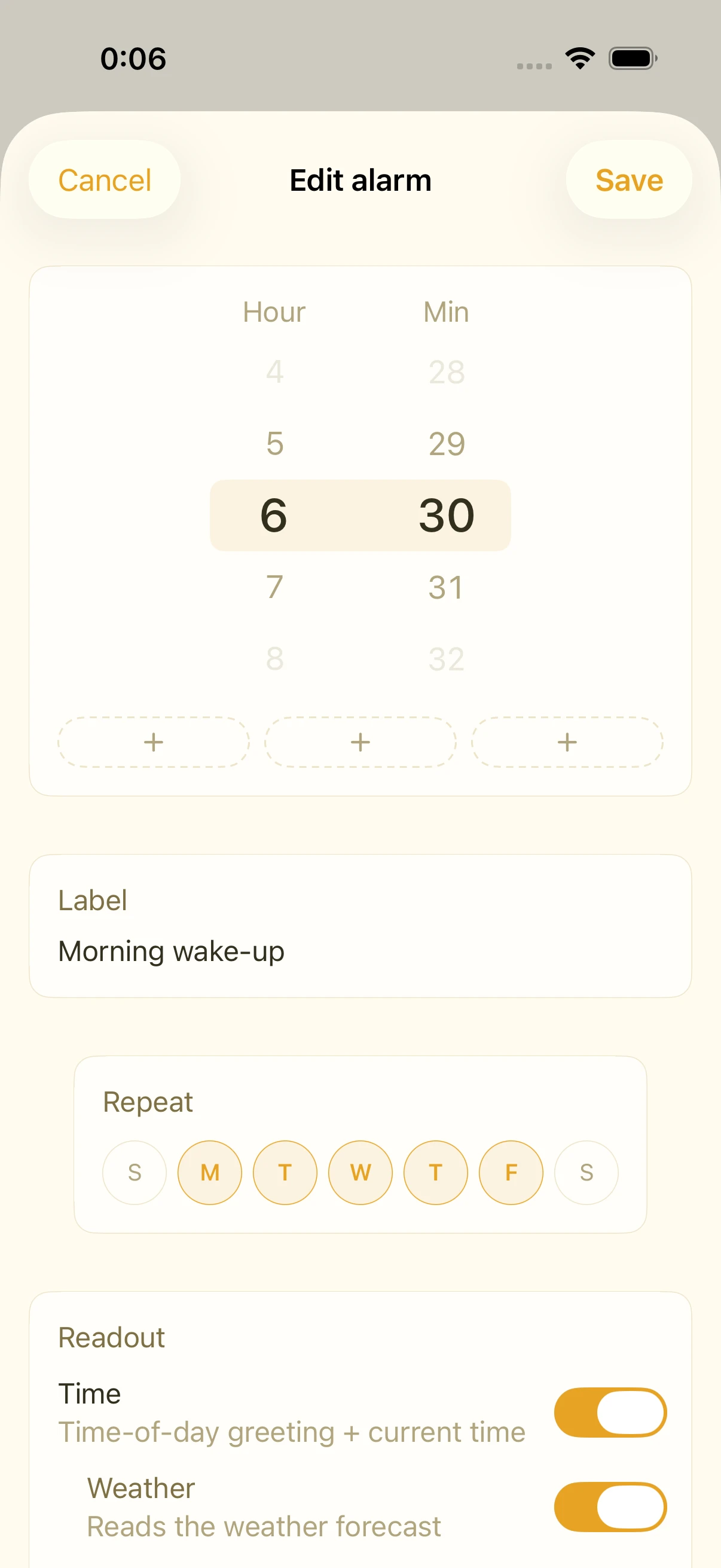
- A full morning briefing: time, weather, today's schedule, and habits — so you wake up taking in the day, not hitting snooze.
- Toggle Alarm Sound and Readout independently for each alarm, with sound selection. Turn both off for silent, vibration-only alerts.
Health first — check in before your day begins
Nothing matters more than your own health. If you use Apple's Health app or an Apple Watch, Smastar's Health tab shows your resting heart rate, heart rate variability (HRV), VO2 max, walking heart rate, BMI, and sleep duration at a glance. Did you sleep well last night? Is your body ready? Get a quick read before you start your day.
See how it works →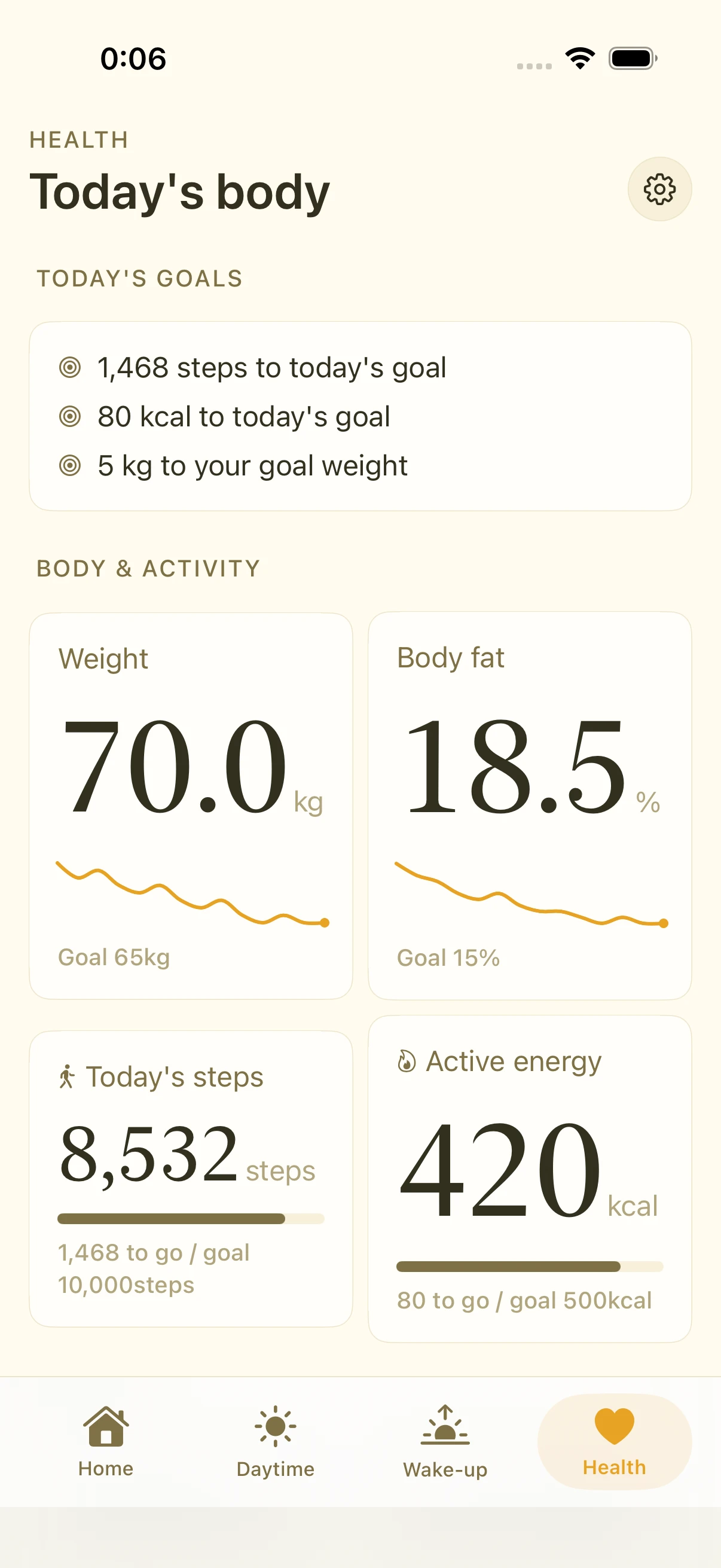
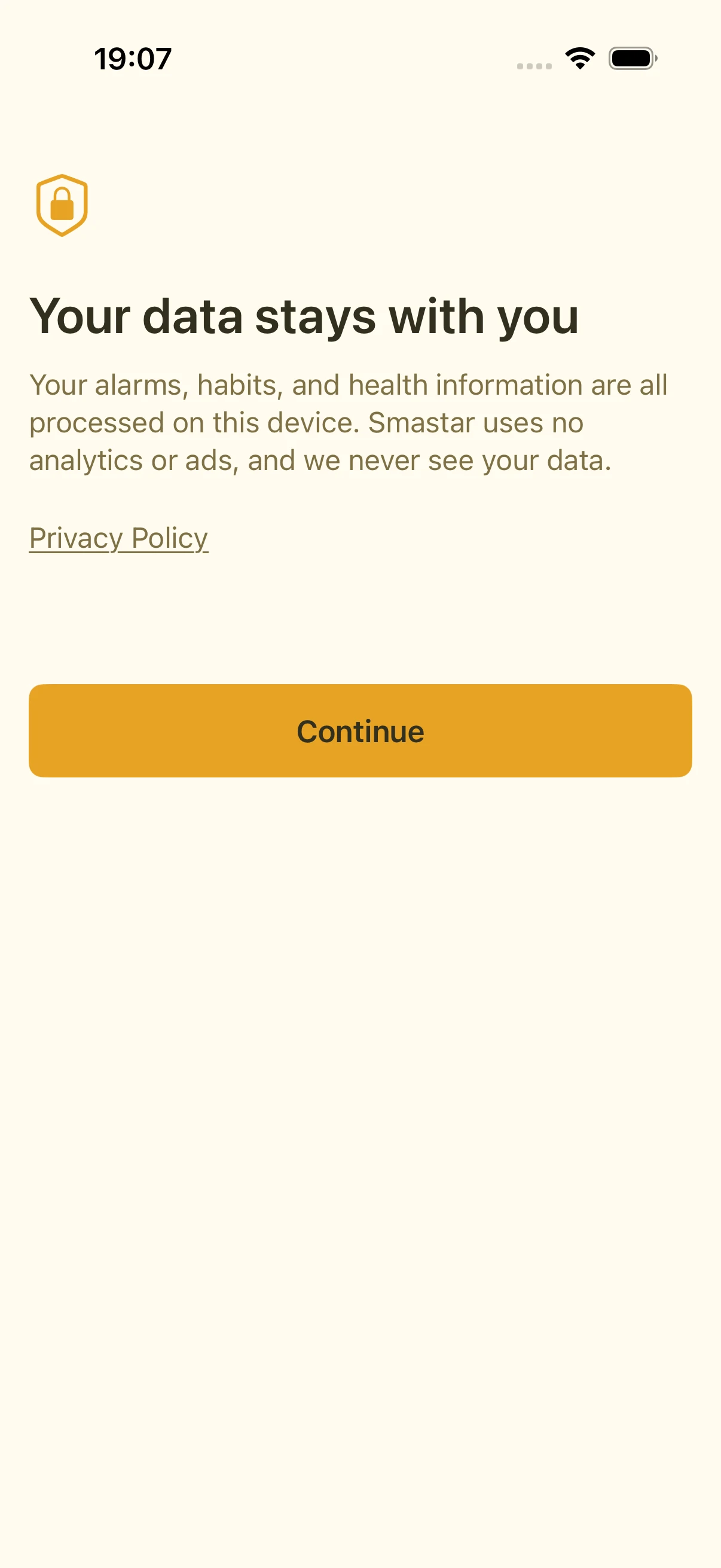
Privacy first
- No third-party SDKs, ever.
- Location, calendar, and health data are processed on your device and never sent anywhere.
Feature guide
Feature guide
Alarms & voice readout
The core of Smastar — how waking by voice works
02Custom alarm sounds & import
Wake to a sound you love
03Choosing & downloading voices
Make the readout sound more natural
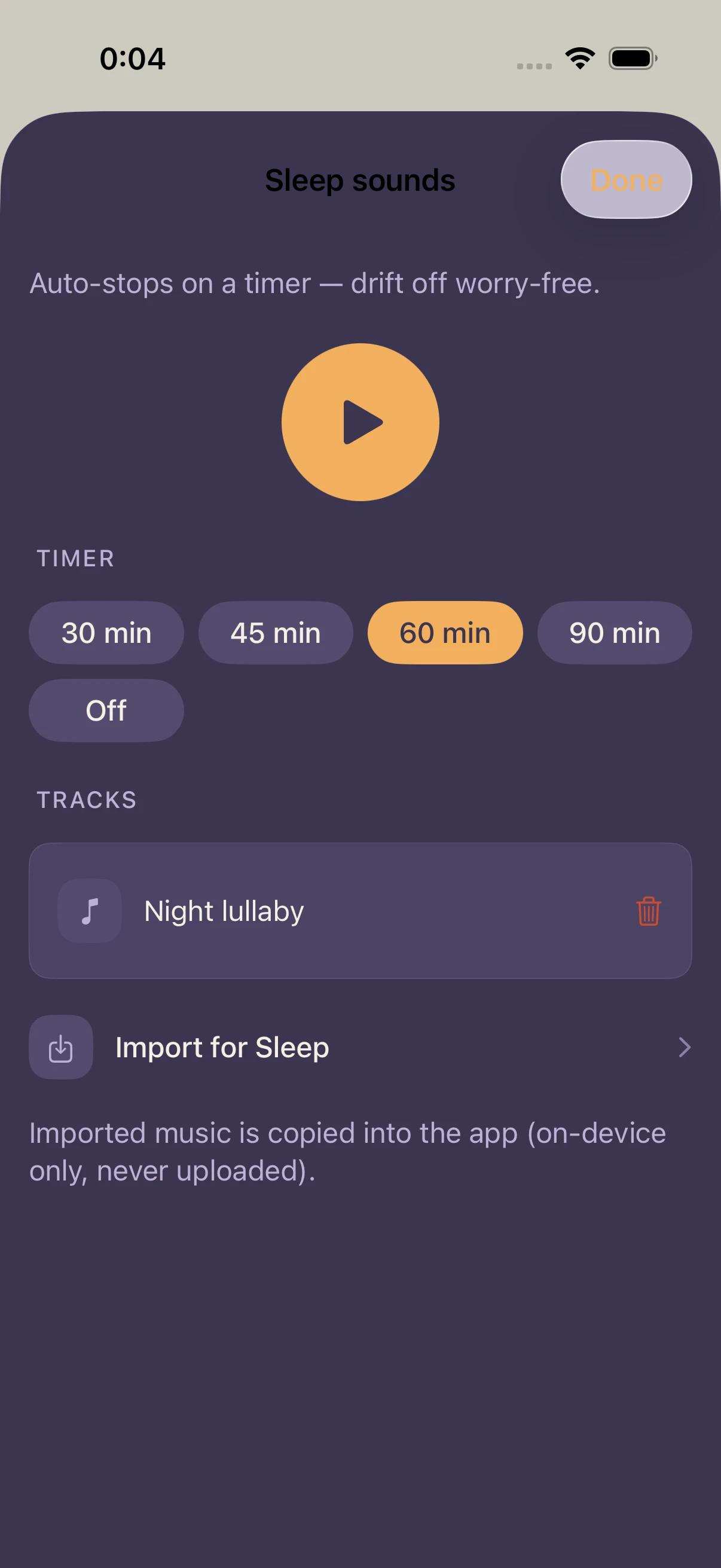
04Sleep / Focus Music
Music players for sleep and deep work
05Daytime — to-dos & pre-alarms
Reminders through the day
06Habits
Track daily habits and hear them in your morning readout
07Health tab
Steps, workouts, sleep, and heart-rate zones
08Permissions & onboarding
What each permission is used for
09Privacy & data
Everything stays on your device
Pricing
Free for the first 7 days
Cancel anytime.
Free for 7 days, then $24.99 / year (per selected plan). Your subscription renews automatically unless you cancel at least 24 hours before the free trial ends. You can manage or cancel anytime in Settings › Apple ID › Subscriptions.