Feature guide 04
Sleep / Focus Music
What it does
Smastar includes two music players — one for falling asleep, one for getting things done.
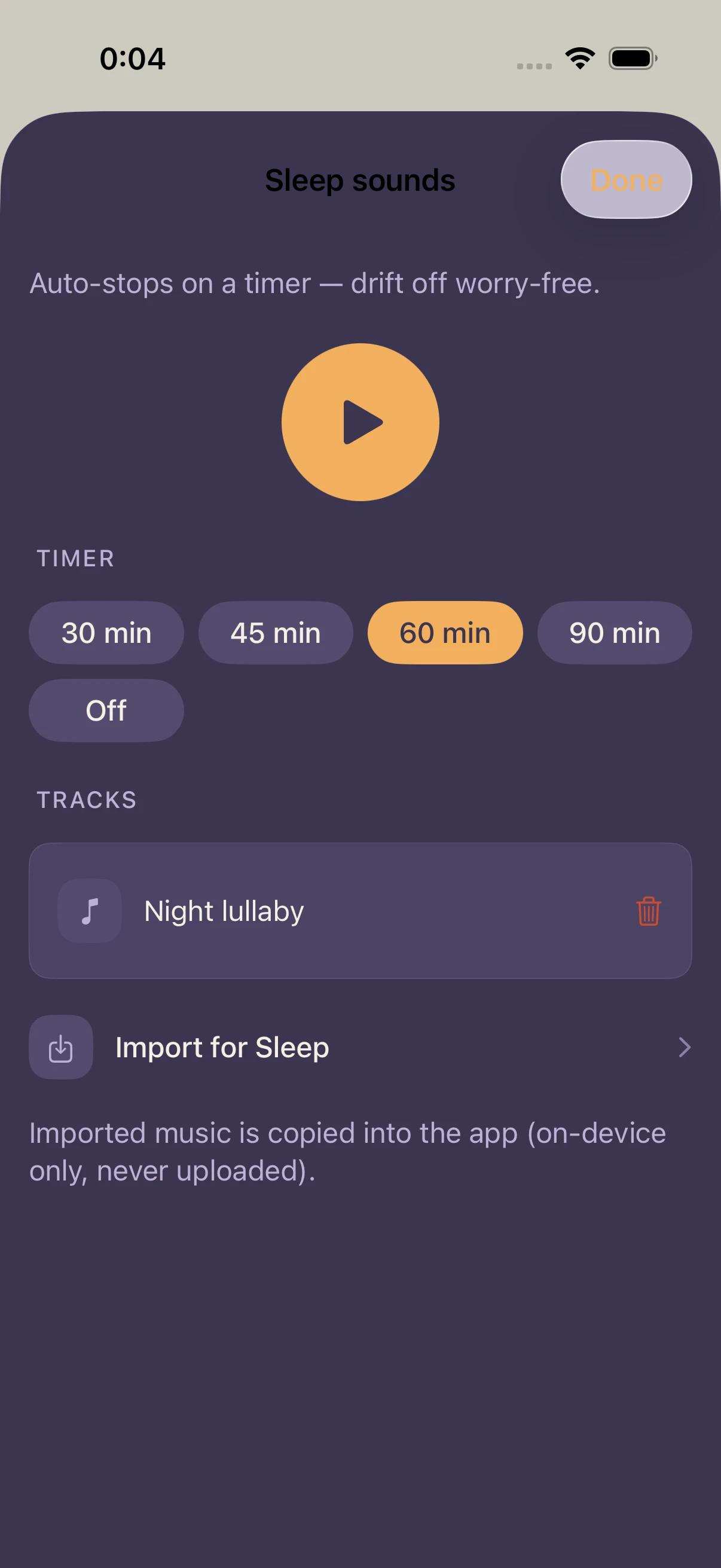
- Sleep — auto-stops on a timer. Drift off worry-free.
- Focus — timed sessions for deep work, with a gentle finish.
They work the same way, but keep separate track libraries. Sounds for sleeping and sounds for working don't mix — tracks you import go into the library of whichever mode you have open.
How to use it
- Open the Sleep or Focus player
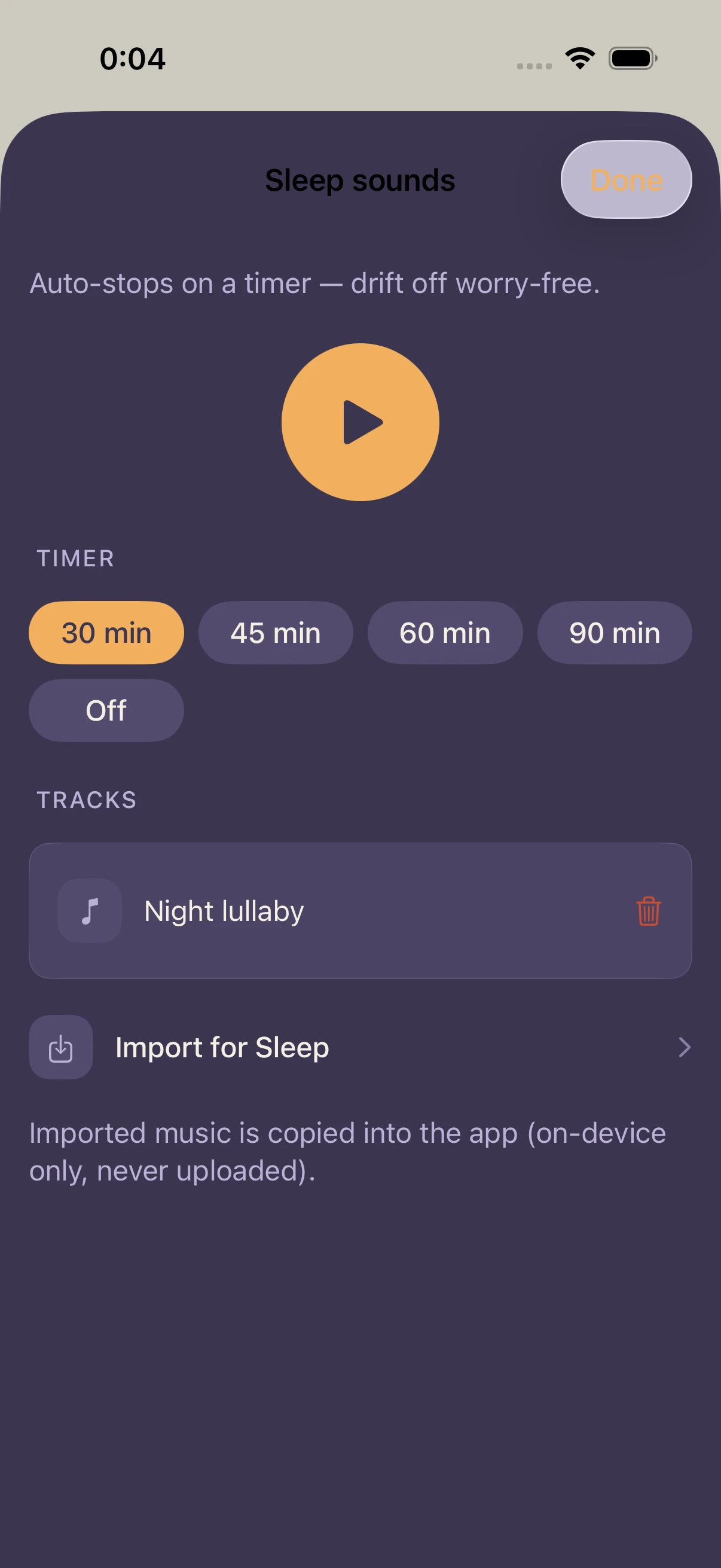
- Pick a timer:
- Sleep: 30 / 45 / 60 / 90 min / off (default 60)
- Focus: 15 / 25 / 30 / 45 / 60 min / off (default 25)
- Focus's 25 minutes is there for the Pomodoro technique
- Tap a track to play. Switching tracks is one tap
- Playback continues when you leave the screen or lock your phone. When the timer runs out, the music stops on its own
- In Focus, a quiet session-complete note appears when the timer finishes
Working with your alarm (the Smastar touch)
Fall asleep with Sleep music playing, and your morning alarm still fires. The moment it does, the music pauses automatically — no collision of sounds. Fall asleep to music, wake up to a voice, all in one app.
Importing tracks
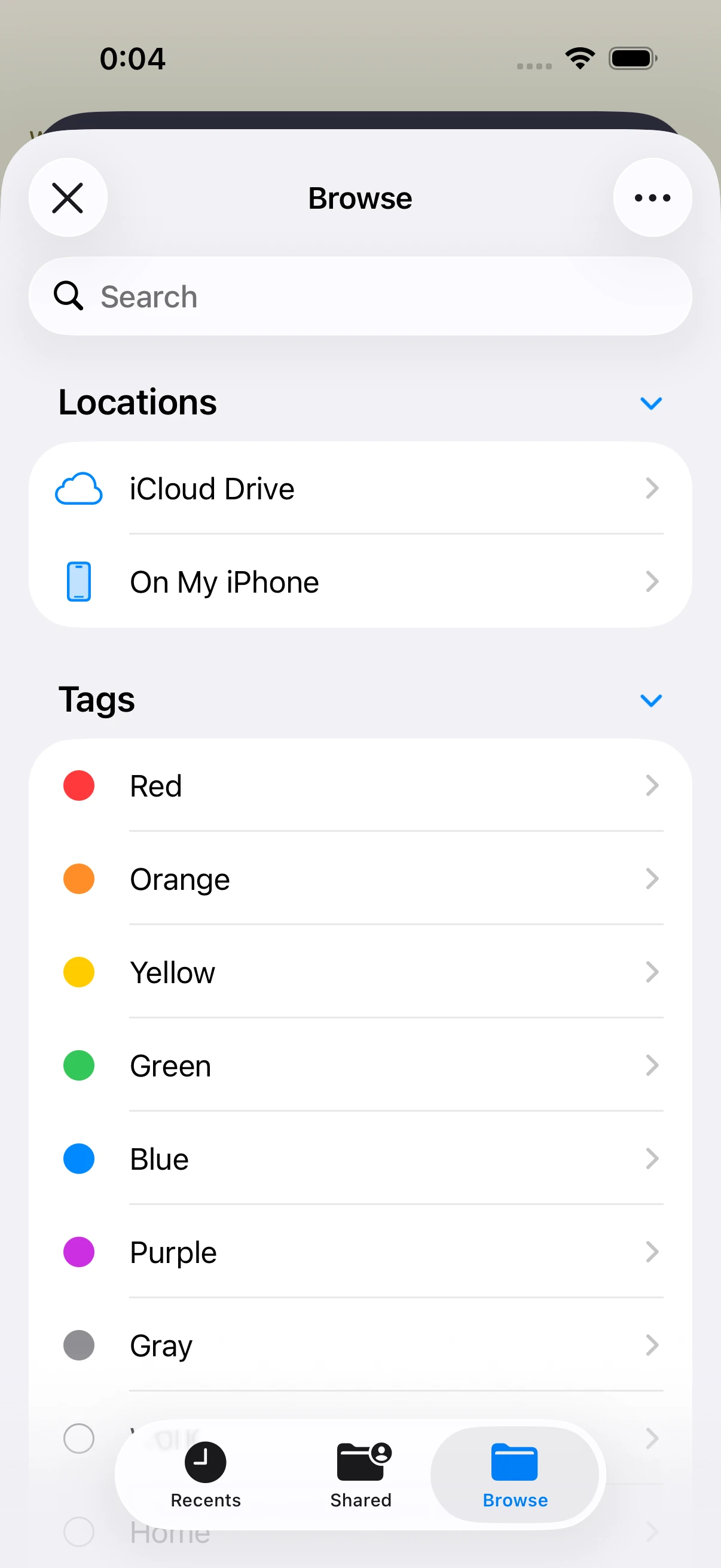
- Tap the import button in the player — the Files app opens
- Pick an audio file; it's added to the open mode's library
- Files are copied into the app, so you can delete the originals
For finding tracks, the in-app free-audio links (Settings › Free audio sources) are a good start: Pixabay Music, Freesound, and Musopen offer rain sounds, white noise, ambience, and classical recordings free of charge. See "Finding free audio" for the details.
FAQ
Can I use Apple Music / Spotify tracks?
No — streaming tracks are DRM-protected. Use DRM-free files (purchased downloads, free audio, and so on).
My music used to stop mid-session
An earlier version could stop playback while the phone was locked. It's fixed — just update the app. No need to re-import anything.
I want the same track in both Sleep and Focus
Import it in each mode. The libraries are separate, so a track imported in one doesn't appear in the other.
What happens if a call or another app makes sound?
The music pauses automatically on interruption. Resume it from the player.
Related settings
- Settings › Free audio sources: links to free music and ambience
- Your timer choice is remembered per mode